
New User Guide – Instructions for Making a 24Rent Reservation

Welcome to the 24Rent Community!
Congratulations! You’ve made your first reservation with 24Rent’s car-sharing service and joined thousands of users who enjoy an ecological and cost-efficient mobility solution. Our community is growing, and we’re proud to provide a unique way to access private car use in Finland.
This guide was created to make your first rental as smooth as possible. Here you will find answers to many common questions before your reservation begins.
Before Your Reservation — Registration
Since you have successfully made your first reservation, we will send you a text message to the phone number you provided.
Follow the instructions in the message, navigate to 24Rent-app or m.24rent.fi and complete the identification
The portal will also prompt you to upload an image of your driving license.
Once registration is complete, you will receive a confirmation.
Note: Registration is required only on the first booking. For future reservations, you can simply log in with your phone number.
Starting the Reservation, Accessing the Car & Returning
At the start of your reservation, go to the car’s location.
Use the 24Rent app or the m.24rent.fi portal to guide you through the process.
The car keys will already be inside the vehicle.
Use the car as if it were yours, and refuel it before your booking ends.
Return the car to the designated spot per the instructions from the app or portal.
Leave the keys in their original spot and lock the car via your phone.
Who may pick up the car?
Only the person who made the reservation may pick it up. If you have purchased an additional driver option, that person can also collect the car. The additional driver will receive instructions about vehicle pick-up approximately 30 minutes before the reservation starts. Be sure that the additional driver is properly informed — you remain responsible for the vehicle.
How do I enter the car & where are the keys?
At reservation start time, go to the vehicle location and use the 24Rent-app or the m.24rent.fi portal. You will be prompted to take photos of the vehicle before pressing the “unlock” button. The key’s location is communicated in your confirmation email, in the 24Rent-app, and via m.24rent.fi.
Who is allowed to drive?
By default, only the person who made the reservation may drive the car, unless an additional driver has been explicitly added to the reservation. That person may also pick up and return the car. The primary renter (you) are always ultimately responsible for the car, even if another drives it. More info here.
How many kilometers can I drive?
If you selected a city-use option, you are allowed 100 km per 24-hour period without extra charges. For example, for a 3-day reservation you can drive up to 300 km.
If you chose the unlimited kilometers option, you may drive as much as you like — no kilometer fee. More information on mileage options is available in our documentation.
What if there’s an accident or damage?
Accidents happen, and we’ve got you covered. You must notify us about any damage, no matter the extent.
The steps differ depending on the severity and nature of the damage. Find detailed instructions in our support section.
Refueling
All 24Rent vehicles must be refueled before the end of your reservation. The specific fuel type and refueling instructions are available in the vehicle details within the app or portal.
Taking the car abroad
Some of our passenger and cargo vehicles are allowed to be taken abroad, but you must obtain an export permit. More information is available in our terms.
How to cancel a reservation
You may cancel your reservation up to 7 days before the start time free of charge. If you have purchased the cancellation protection option, you may cancel at least 2 hours before the reservation begins.
For full cancellation policy details, see our terms.
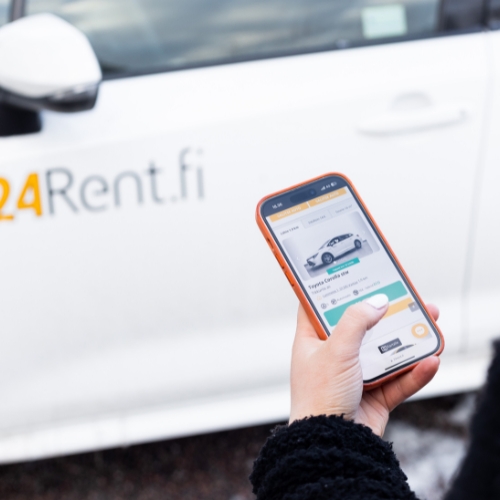
Contact Customer Service & 24/7 Roadside Assistance
The best way to reach us is by calling the reservation-specific number: 0600 555 800 (0,98 €/min + local).
You can also contact us via the 24Rent app or by logging into m.24rent.fi.
If our regular support is unavailable (e.g. overnight), you may use 24/7 roadside assistance.
More details available in our support pages.
Free Parking in selected cities & Z Permit
Some of our vehicles include free parking permits (sometimes called a “Z permit”) in select cities.
Check if your reserved vehicle has this feature via your booking confirmation, the 24Rent app, or m.24rent.fi.
Note: the type and parking rights of a Z permit vary per city — make sure you verify the specific parking rules.
You may also watch our parking tutorial videos for guidance.
Tire Damage, Windshield Cracks & Insurance
We offer optional protection packages such as tire damage, windshield protection, and collision coverage to give you peace of mind. If you have any questions about insurance or liability in case of damage, refer to our terms and support pages.